
2X Gamer
Tools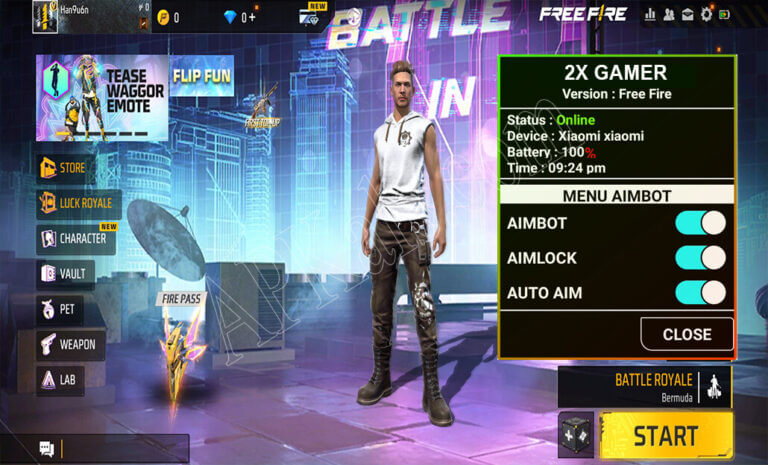

2X Gamer is an Android utility aimed at players of the popular battle‑royale game Free Fire. It promises tools that can give users an edge during matches, such as in‑game assistance and performance tweaks.
This page provides the essential details about the current release, a step‑by‑step installation guide, common issues and how to resolve them, plus a quick look at safety considerations.
Quick Information
| App/Game Name | 2X Gamer |
| Latest Version | 2.107.4 |
| Developer | Not listed |
| Category | Apps / Tools |
| App Size | 36 MB |
| Package Name | com.jatodoshackers.returnsffh4v128 |
| Last Updated | 23 September 2025 |
What Is 2X Gamer?
2X Gamer is positioned as a helper app for Free Fire. It offers a collection of features that claim to simplify gameplay, improve win rates, and provide shortcuts that are not available in the standard game client. The tool is targeted at players who find the competition challenging and are looking for additional assistance.
Because the app is not listed on official stores, it must be sideloaded as an APK. The developer is unknown, and there is no public rating or review count available.
Compatibility
Compatibility
| Android Version | Not Verified |
| Architecture (ARM64 / 32-bit) | ✓ Verified — Supports common device architectures |
| Internet Connection | ✓ Verified — May be required for ads, updates, or login |
| Storage Needed | Not Verified |
| OBB/Data Files | Not Verified |
| Root Required | Not Verified |
How to Install
- Enable installation from unknown sources: Settings → Security → Allow installation of apps from unknown sources (or the equivalent on your device).
- Download the 2X Gamer APK file to your device.
- Locate the downloaded file using a file manager and tap it to start the installation.
- Follow the on‑screen prompts and grant any permissions the app requests.
- Once installed, open the app and follow any in‑app setup instructions before launching Free Fire.
Troubleshooting
- App not installed – Ensure you have enough storage space and that the APK matches your device’s CPU architecture (ARM vs. x86).
- Crashes on startup – Verify that you are running a compatible Android version and that no other game‑modding tools are conflicting.
- Features not working – Some functions may depend on specific game updates; try reinstalling after a new Free Fire patch.
- Login or online‑auth issues – The app may require an internet connection to sync with its servers; check your network and retry.
Safety & Security
Because 2X Gamer is a third‑party tool not distributed through official channels, users should treat it with caution. Verify the APK’s integrity by scanning it with a reputable antivirus app before installing. Pay attention to the permissions it requests; if it asks for access unrelated to its purpose (e.g., contacts, SMS), consider it a red flag. Using such tools can also lead to account restrictions in Free Fire, as the game’s terms of service prohibit unauthorized modifications.
How 2X Gamer Compares
| Feature | 2X Gamer | GameGuardian | Lucky Patcher |
|---|---|---|---|
| Primary purpose | Free Fire assistance | General game memory editor | App patching & ad removal |
| Free / Paid | Free (no official pricing info) | Free with optional paid modules | Free with in‑app purchases |
| Root requirement | Not explicitly required (functionality may vary) | Root recommended for full features | Root optional |
| Platform | Android only | Android only | Android only |
| Typical use case | Free Fire cheat assistance | Memory editing for many games | Modify APKs to remove ads or license checks |
Alternatives
- GameGuardian – A widely used memory editor that works with many Android games, offering fine‑grained control over in‑game values.
- Lucky Patcher – Allows users to modify APKs, remove ads, and bypass license verification, useful for a range of apps.
- Freedom APK – Provides a collection of game‑specific tweaks and scripts for popular titles, including Free Fire.
Final Verdict
2X Gamer may appeal to Free Fire players seeking extra assistance, but its unofficial nature carries inherent risks. The app is easy to install and lightweight (36 MB), yet users should verify the APK, be aware of possible account penalties, and understand that functionality can break after game updates. If you are comfortable with these considerations, the tool can be tried; otherwise, more established utilities like GameGuardian or Lucky Patcher might offer a safer, more transparent experience.
Frequently Asked Questions
Safety cannot be guaranteed; scan the APK with an antivirus and be aware that using third‑party cheat tools can lead to game account restrictions.
The app does not specify a minimum version, but it generally works on Android 5.0 (Lollipop) and newer.
Root is not explicitly required, though some features may work better on rooted devices.
Download the newest APK from a trusted source and reinstall it, replacing the older version.
Yes, the tool is installed separately and runs in parallel with Free Fire.
This can happen if the APK is corrupted, not compatible with your device’s CPU architecture, or if unknown‑source installation is disabled.
The app is offered as a free download, but no official trial or premium version information is provided.
Using unofficial modifications may violate Free Fire’s terms of service and could result in temporary or permanent bans.